Exchange management shell
get-mailpublicfolder mail@domain.com | get-publicfolderstatistics |select AdminDisplayName, FolderPath

Exchange management shell
get-mailpublicfolder mail@domain.com | get-publicfolderstatistics |select AdminDisplayName, FolderPath
If you want to set rights on Calendar object, you need to know the name of the folder.
The name of the folder is localized.
$username = "Test user"
$calname = Get-MailboxFolderStatistics -Identity $username -FolderScope calendar | where-object {$_.FolderType -eq "Calendar"}
$calendar = $username + ":\" + $calname.Name.toString()
Get-itemproperty "hkcu:\Software\policies\microsoft\windows\currentversion\internet settings\ZoneMapKey"
https://sts.yourdomain.com/adfs/ls/IdpInitiatedSignon.aspx
If you get error: “Error details: MSIS7012: An error occurred while processing the request. Contact your administrator for details.”
I could be to the fact that you need to enable Idp login
Set-AdfsProperties -EnableIdpInitiatedSignonPage $true
Set-AdfsRelyingPartyTrust -TargetName “MyClaimApp” -ClaimsProviderName @(“Azure ACS”,”Contoso”)
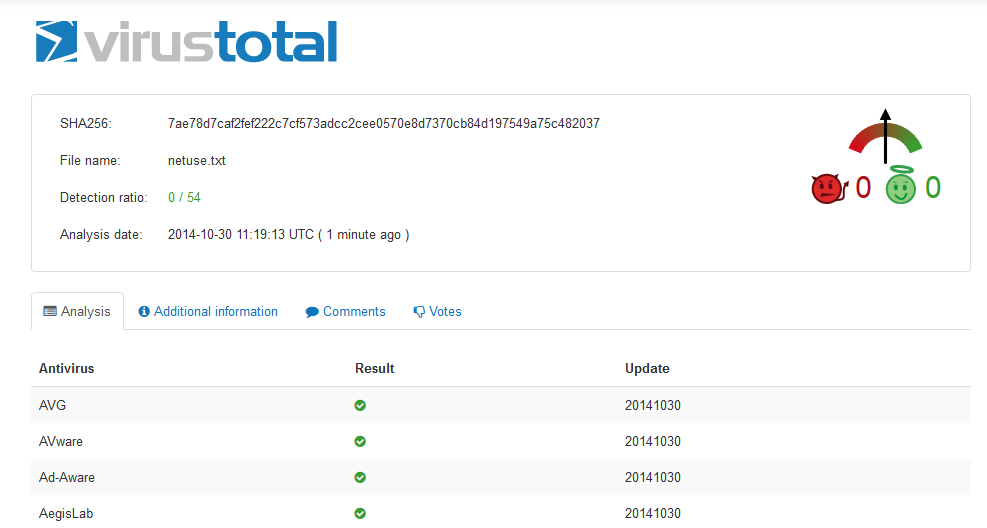
At the moment it scans with 53 engines
Virustotal
From Exchange Management Shell:
Get-PublicFolder -Identity "\Folder\Subfolder" -Recurse | Add-PublicFolderClientPermission -User User -AccessRights Reviewer
“\Folder\Subfolder”: Path to where you want to set the rights
-User: The user to set rights for
-AccessRights: The rights set on the folders
$a = "Dasher","Dancer","Prancer","Vixen","Comet","Cupid","Donder","Blitzen"
$a = $a | Get-Random -count $a.count
nltest [/server: