Turn Bat file into EXE file and let it run as a service to set registry keys

First we create a bat file that will do 2 things

  1. It will loop every 10 seconds
  2. It will call another bat file. We do this in case we need to make changes, we don’t need to build the EXE file every time
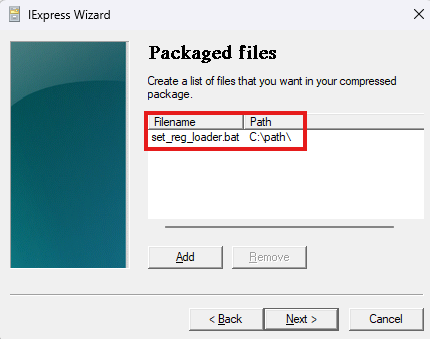
  3. We call it c:\path\set_reg_loader.bat
:loop
call c:\path\set_reg.bat
timeout /t 10 /nobreak
GOTO :loop

The we create the c:\path\set_reg.bat file that actually do the registry stuff

REG ADD "HKEY_LOCAL_MACHINE\SOFTWARE\Policies\Microsoft\Windows\Personalization" /v "Server1.dk was here" /t REG_DWORD /d 1 /f

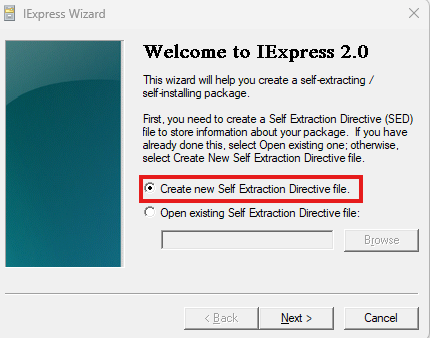
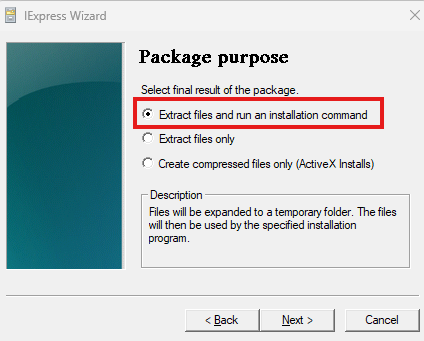
Now we create the exe file

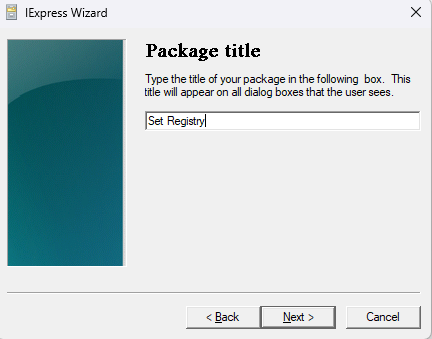
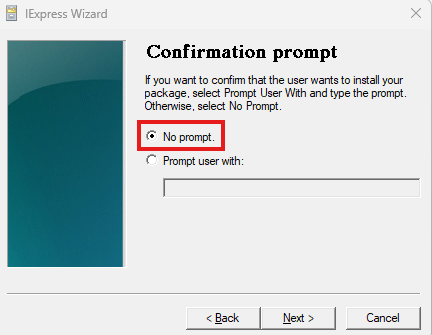
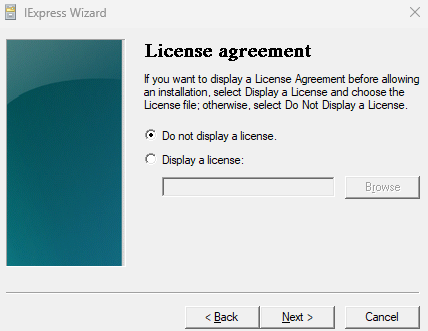
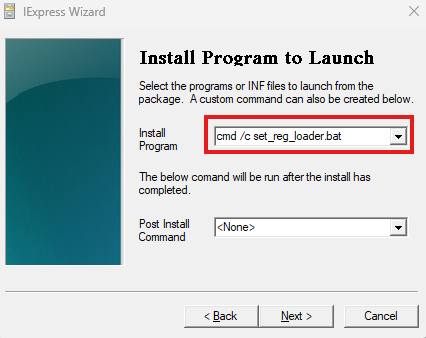
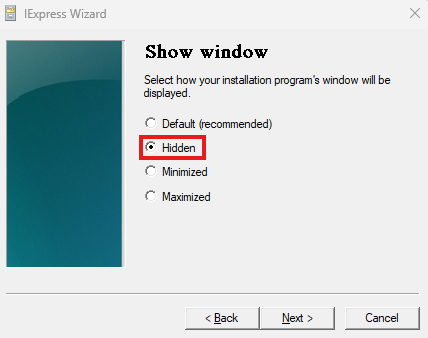
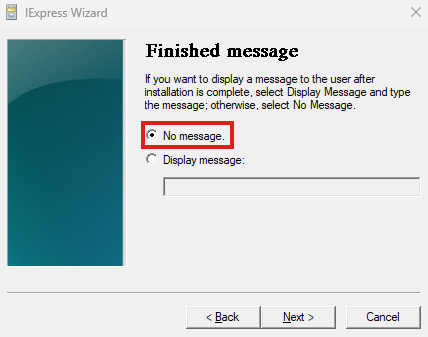
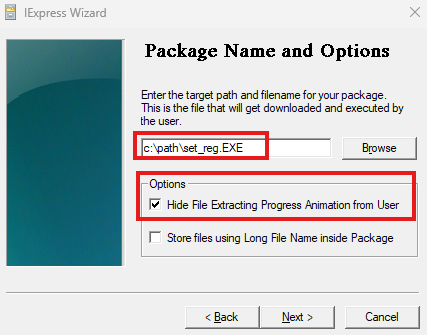
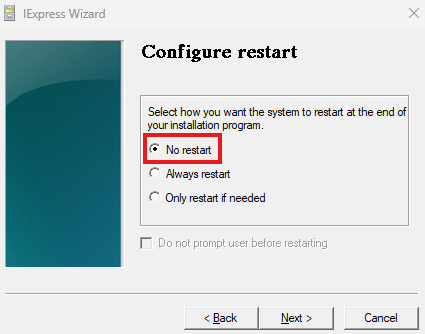
  1. Run C:\Windows\System32\iexpress.exe as Administrator

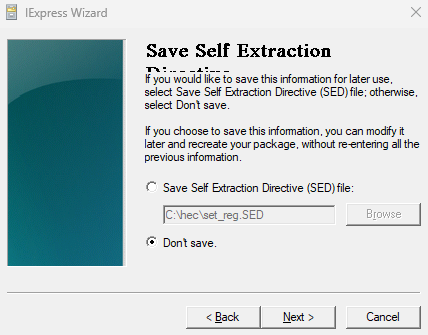
You can decide if you want to save the project

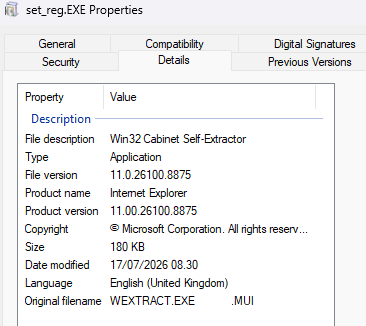
Now you have a nice EXE file that will go undetected by most security systems

Create the windows service that will run the exe file.

Start a CMD as administrator

sc create SetReg binPath= "C:\path\set_reg.EXE" DisplayName= SetRegDisplayname start= Auto obj= "NT AUTHORITY\System"

We now have a EXE file that runs as a service as Local System

You can’t access this shared folder because your organization’s security policies block unauthenticated guest access

A fix for that is to change the registry

Registry : Computer\HKEY_LOCAL_MACHINE\SYSTEM\CurrentControlSet\Services\LanmanWorkstation\Parameters

DWORD: AllowInsecureGuestAuth = 1

In Windows 11 the DWORD entry might not be there. Then just create it, it will still work.

Force all outbound traffic from Azure Function trough Firewall

I assume that you have a HUB/Spoke design where there is a route table, that has a default route that points all traffic to the Firewall in the hub.

On the Function App you deploy in a spoke, you need to configure outbound network integration.

It is important to enable: “Outbound internet traffic”

The configuration on the Function App needs the setting: “vnetRouteAllEnabled” = 1

Azure function that returns HTTP status code and text string

using namespace System.Net

# Input bindings are passed in via param block.
param($Request, $TriggerMetadata)
$body = "<html><body>"

# Write to the Azure Functions log stream.
Write-Host "PowerShell HTTP trigger function processed a request."

# Interact with query parameters or the body of the request.
$InputString += $Request.Query.TextString
if ($InputString -eq $null) {$InputString = "Default string"}
$body += $InputString

$body += "<br><p>Version: 11</p>"
$body += "</body></html>"

$statusCode = $Request.Query.StatusCode
if ($statusCode -eq $null) {$statusCode = "OK"}

# Associate values to output bindings by calling 'Push-OutputBinding'.
Push-OutputBinding -Name Response -Value ([HttpResponseContext]@{
    StatusCode = [HttpStatusCode]::$statusCode
    ContentType = "text/html"
    Body = $body
})

New-AzSubscriptionAlias fails

When using the PowerShell command New-AzSubscriptionAlias it might fail with errors not saying what the real issue is

Errors like: “InvalidManagementGroupId” and “Subscription creation failed since provided management group id is not valid” could suggest that the ID is wrong.

But the reason can actually be that the account that PowerShell is running in context of, is missing the right: “Management Group Contributor” on the management group.

Get Azure cost for subscription including marketplace expenses with PowerShell

This will get last month consumption for a subscription including the money spend on marketplace.

$subscriptioname = "CHANGETHIS"
$roundDecimals = 2
$lastMonthBilling = (Get-Date).AddMonths(-1).ToString('yyyyMM')

# Set context to subscription
Set-azcontext -SubscriptionName $subscriptioname

# Get billing period
$BillingPeriod = Get-AzBillingPeriod -Name $lastMonthBilling
$startDate = $BillingPeriod.BillingPeriodStartDate.ToString("dd-MM-yyyy")
$endDate = $BillingPeriod.BillingPeriodEndDate.ToString("dd-MM-yyyy")

# Collect cost data
$currentCost = Get-AzConsumptionUsageDetail -StartDate $startDate -EndDate $endDate 
$currentCost += Get-AzConsumptionMarketplace -StartDate $startDate -EndDate $endDate

# Write output to screen
Write-Host "Current Cost of Subscription" (Get-AzContext).Subscription.Name ":" ([math]::Round(($currentCost | Measure-Object -Property PretaxCost -Sum).sum,$roundDecimals))