Get-itemproperty "hkcu:\Software\policies\microsoft\windows\currentversion\internet settings\ZoneMapKey"
Get IE Trusted from registry with Powershell
Reply

Get-itemproperty "hkcu:\Software\policies\microsoft\windows\currentversion\internet settings\ZoneMapKey"
https://sts.yourdomain.com/adfs/ls/IdpInitiatedSignon.aspx
If you get error: “Error details: MSIS7012: An error occurred while processing the request. Contact your administrator for details.”
I could be to the fact that you need to enable Idp login
Set-AdfsProperties -EnableIdpInitiatedSignonPage $true
Set-AdfsRelyingPartyTrust -TargetName “MyClaimApp” -ClaimsProviderName @(“Azure ACS”,”Contoso”)
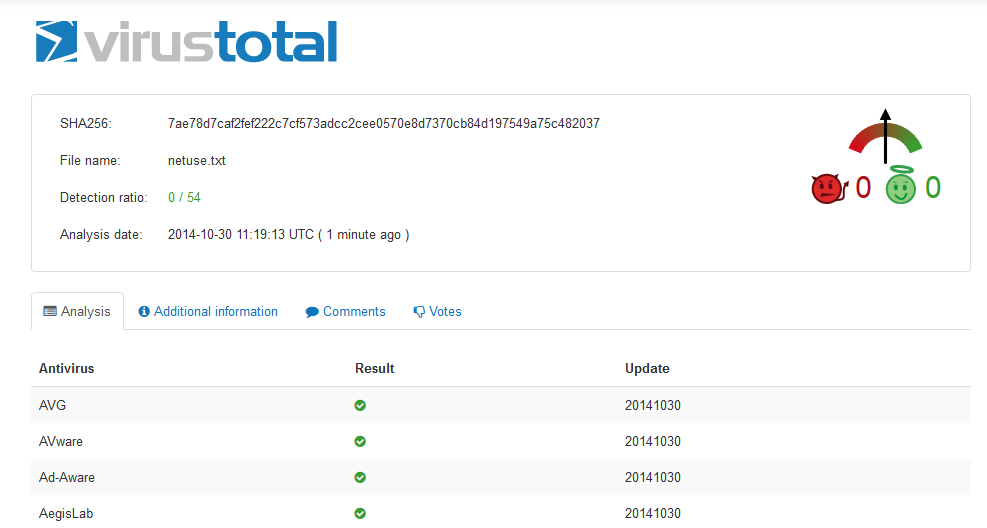
At the moment it scans with 53 engines
Virustotal
From Exchange Management Shell:
Get-PublicFolder -Identity "\Folder\Subfolder" -Recurse | Add-PublicFolderClientPermission -User User -AccessRights Reviewer
“\Folder\Subfolder”: Path to where you want to set the rights
-User: The user to set rights for
-AccessRights: The rights set on the folders
$a = "Dasher","Dancer","Prancer","Vixen","Comet","Cupid","Donder","Blitzen"
$a = $a | Get-Random -count $a.count
nltest [/server:
Enable
options cifs.per_client_stats.enable onDisable
options cifs.per_client_stats.enable off
Show top users of CIFS for the moment
cifs top
ops/s  reads(n, KB/s) writes(n, KB/s) suspect/s   IP              Name
   515 |     10    42 |       0     0 |       41 | 172.33.112.33   Domain\user11
   334 |      9   390 |       0     0 |        0 | 172.33.16.171   Domain\user1
   319 |      4    95 |       0     0 |        0 | 172.33.16.172   Domain\user1
   204 |      0     0 |      29     0 |       28 | 172.33.16.154   Domain\user2
    40 |     15    20 |       0    43 |        0 | 172.33.120.28   Domain\user5
    28 |      0     0 |       0     0 |        0 | 172.33.106.12   Domain\user7
    20 |      0     0 |       2    54 |        2 | 172.33.16.143   Domain\user9
    12 |      0     0 |       0     0 |        0 | 172.33.16.180   Domain\user33
    12 |      0     0 |       0     0 |        0 | 172.33.109.18   Domain\user5
    11 |      0     0 |       0     0 |        0 | 172.33.32.86    Domain\user10
     7 |      0     0 |       0     0 |        0 | 172.33.16.143   Domain\user1
     6 |      0     0 |       0     0 |        0 | 172.33.100.141  Domain\user5
     6 |      0     0 |       0     0 |        0 | 192.34.8.112    Domain\user8
     5 |      0     0 |       0     0 |        0 | 172.33.108.13   Domain\user23
     4 |      0     0 |       0     0 |        0 | 172.33.120.150  Domain\user8
     3 |      0     0 |       0     0 |        0 | 172.33.16.180   Domain\user4
     3 |      0     0 |       0     0 |        0 | 172.33.109.8    Domain\user5
     3 |      0     1 |       0     0 |        0 | 172.33.16.143   Domain\user4
     2 |      0     0 |       0     0 |        0 | 172.33.16.60    Domain\user3
     2 |      0     0 |       0     0 |        0 | 172.33.16.60    Domain\user3
From CMD
sc \\server start service
sc \\server stop service